Add a title, prompt text, category, and optional AI tool link. Edit or delete items when your workflow changes.
A small library for the prompts you actually use.
Prompt Saver keeps reusable instructions close to your browser, so repeated AI tasks become faster and more consistent.
Find prompts by text or category, switch between groups, and keep frequently used items at the top with favorites.
Open the extension, pick a prompt, copy it, and paste it into ChatGPT, Claude, Gemini, Midjourney, or another AI tool.
Group prompts for coding, images, writing, research, marketing, support, learning, and personal templates.
Switch between clean visual themes so the popup feels comfortable in light or dark working environments.
Download prompts as JSON for backup and import, or as TXT for a readable prompt list you can store anywhere.
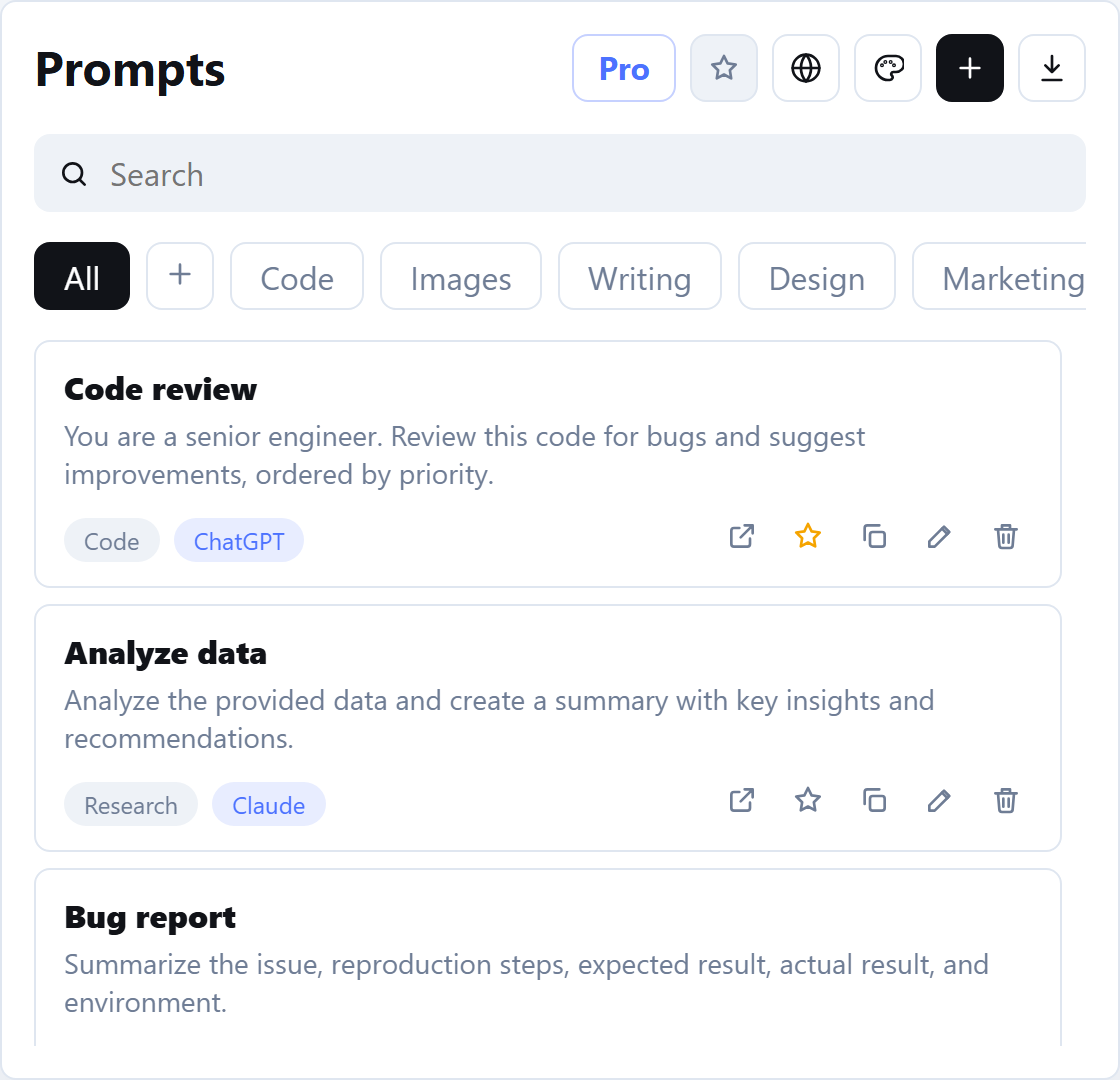
Designed for repeated AI work.
The extension is intentionally compact. It opens as a browser popup, gives you the prompt you need, and gets out of the way.
- Keep naming, categories, and AI links consistent across your team or personal workflow.
- Reduce repetitive typing for prompts you use every day.
- Preserve useful prompt versions instead of losing them in long AI conversations.
- Use local export when you want a backup outside Chrome storage.
Built for privacy-conscious prompt storage.
Prompt Saver stores the prompts and settings you create in Chrome extension storage on your device. The current build does not collect analytics, does not sell data, and does not send prompt text to a server.
- Prompt text stays in local Chrome storage.
- No third-party advertising SDKs.
- No analytics collection in the current build.
- License verification, when enabled, will not send prompt text.
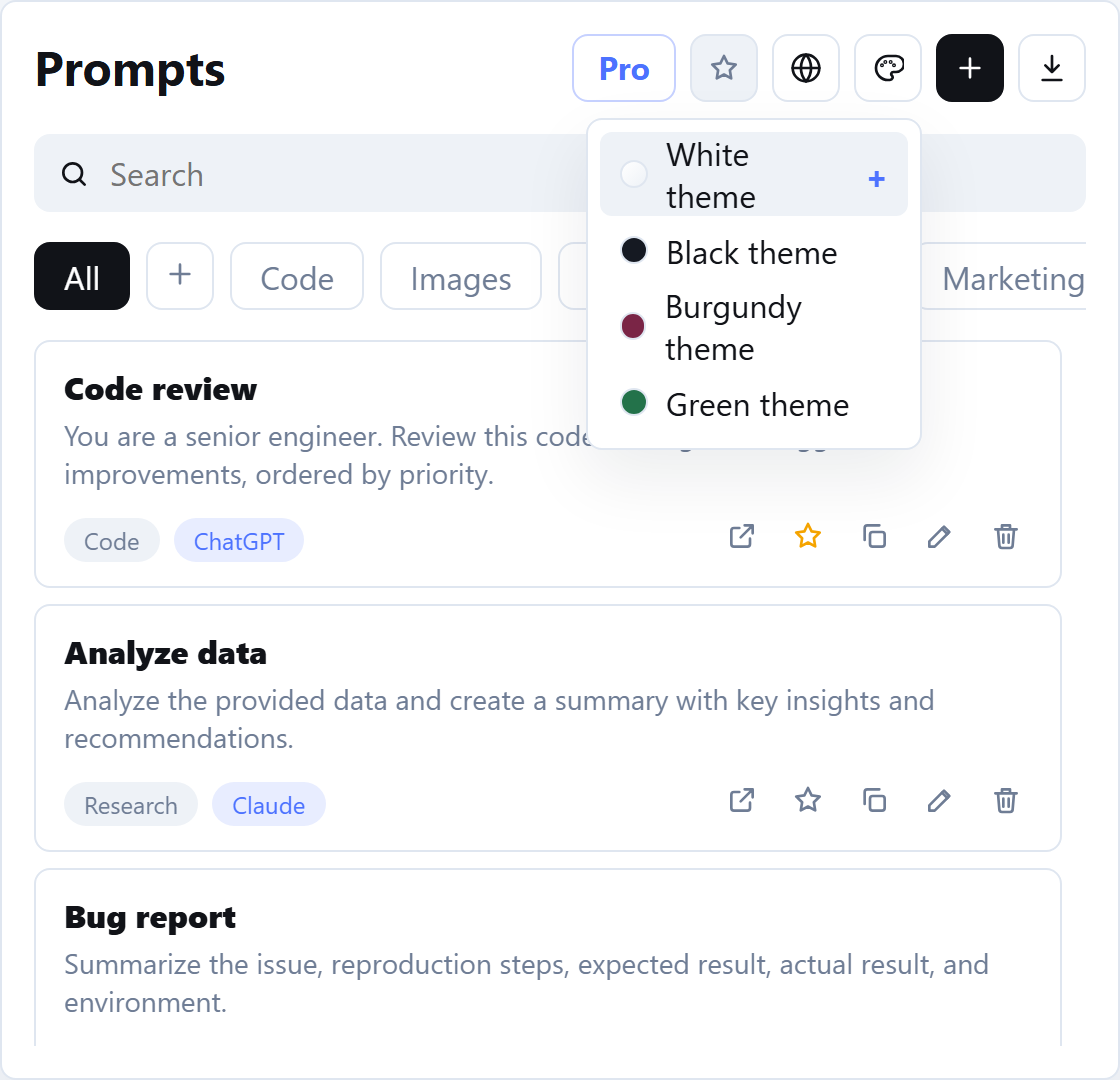
Common questions
It is for developers, writers, marketers, researchers, students, creators, and anyone who reuses AI prompts across different tasks.
No. Prompt Saver is a prompt library. It helps you store, organize, retrieve, and reuse prompts you create.
Yes. Premium local export supports JSON for backups and TXT for a readable prompt list.
You can use copied prompts with any AI tool. Built-in AI link options include popular tools such as ChatGPT, Claude, Gemini, Perplexity, Copilot, Grok, DeepSeek, Mistral, Meta AI, and Midjourney.
Privacy and support
Need help, billing support, or a data question? Contact support and include your browser, extension version, and a short description of the issue.
Read our Privacy Policy, Terms & Conditions, and Refund Policy.